
Woodo · Guides · Page
Woodo Gameplay — How the Diorama Puzzle Actually Plays
Woodo gameplay explained: the cozy 3D diorama puzzle loop, how wooden pieces click into place, the hint system, camera controls and the scene list.
Woodo is a cozy 3D puzzle game from developer Tiny Monks Tales, published by Daedalic Entertainment and released on September 16, 2026. The official site sums up the loop in one line: you gently piece together little dioramas, each crafted with love and a simple, beautiful style. The Steam store frames the same idea more playfully, calling it a 3D coloring book you can touch and a relaxing puzzle-tale told through handcrafted wooden dioramas.
This Woodo gameplay page explains what that means in practice: what you actually do minute to minute, how the pieces behave, what the hint and camera systems offer, and how the story of Foxy and Ben is delivered alongside the puzzling.
What You Actually Do in Woodo
The basic mechanic is deliberately simple. Players find the right spots for wooden objects, assembling them piece by piece into dioramas, and small items come together to form larger scenes. Because placement is spatial rather than linear, you have to turn and explore the 3D space to reveal pieces that are tucked behind, under or inside other objects.
| Element | What the game documents | Source |
|---|---|---|
| Genre | Cozy 3D diorama puzzle; Casual and Indie on Steam | Official site, Steam |
| Core action | Place wooden objects into their correct spots to complete a scene | Official site, Steam |
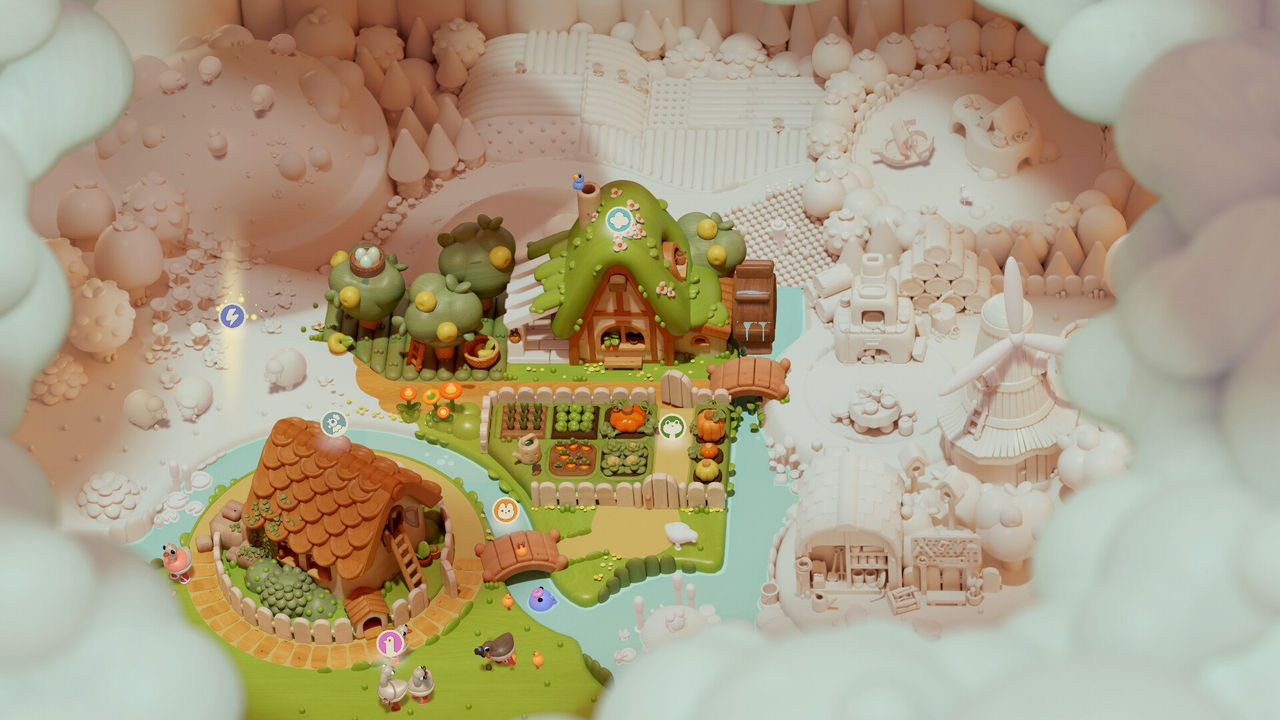
| Feedback | Each scene slowly fills with colour and comes to life as you place pieces | Steam |
| Hidden pieces | Assembling is not linear; you turn and explore the 3D space to reveal pieces | Steam |
| Narration | A friendly narrator tells the story while you build | Steam, official site |
| Assistance | The game adapts to your pace and provides help when needed | Steam feature list |
| Playtime | About four hours, per a community estimate (to confirm) | Steam Community |
| Platforms | PC (Steam), Nintendo Switch and Switch 2, Xbox, PlayStation 5, GOG | Official site, store pages |
The tactile promise is central to the pitch: Woodo wants each piece to click into place with a satisfying sensation, as if you were assembling a real toy in your hands. Reviewers back that up, describing a grey, indistinct space that becomes a warm, detailed wooden world one piece at a time.
How Piece Placement and the Camera Work
The community walkthrough is the clearest source on the practical texture of play. It opens with a short prologue where you spell out the word Woodo by matching blocks between the O shapes, then fill a wooden chest by matching the detailing on each block to its empty place. From there the game settles into its rhythm: match the shape, match the painted design, and rotate the scene when two candidates look alike.
Practical habits that come out of that walkthrough:
- Place the large pieces first to reduce clutter in the toolbar, then go back for the small, precise blocks.
- Rotate the scene, not the piece — the tray does not let you spin objects, so you turn the diorama until the gap and the piece line up.
- Hold a piece over the scene while zoomed in to find its home; some objects only become clear from a different angle.
- Expect composite objects — a flower is a petal piece plus a stem piece, and characters are built from face, body, leg and clothing blocks separately.
- Move on when you are stuck, because places narrow down and the scene clarifies as other pieces land.
The camera is the main friction point reviewers mention, and it is also the source of the game's hidden depth. Some pieces are not visible at all until you zoom in or open something, like a tiny door on a mouse hole that conceals a house full of cheese. Panning to move around inside a single scene is introduced in the Ben level, and later scenes lean on it heavily.
The Story of Foxy and Ben, Told by a Narrator
The narrative is straightforward and delivered by voice. The official site describes it as a city girl named Foxy who was sent to the countryside for the summer, and her friendship with Ben the Frog, a local villager. The tale reflects themes of friendship, summer, childhood and the simple joys we all recognise.
Nintendo Life adds an important structural detail: the story is told mainly by playing a monologue over the game, triggered at points of progress, rather than being woven into the puzzles. The same review calls the writing a picture-book accompaniment to the diorama work, and notes that some players may prefer to focus on the tactile puzzle and the soothing music. That is a fair expectation to set going in — Woodo is a puzzle game first and a story second.
Hints, Difficulty and Accessibility Options
Woodo is built to be finished without frustration, and its options list reflects that. The Steam store advertises full controller support, a mouse-only option, playable-without-timed-input play, adjustable text size, colour alternatives, subtitle options and custom volume controls. A September 28, 2026 maintenance patch added a setting to disable controller vibration and improved object visibility and hint cameras in select levels, alongside fixes for gamepad panning and physics at lower framerates.
| System | What is documented | Source |
|---|---|---|
| Hint system | Tells you where to look; Nintendo Life says it does not break the game | Nintendo Life review |
| Adaptive pacing | The game adapts to your pace and offers assistance | Steam feature list |
| Camera | Zoom, rotate and pan; panning unlocks in the Ben level | Community walkthrough |
| Controller | Full controller support, with a keyboard-free mouse-only option | Steam |
| Comfort | Playable without timed input; vibration can be switched off | Steam, Sep 28 patch notes |
| Photo mode | An in-game camera for capturing moments and screenshot-style photos | Steam Community, achievement list |
A community thread also mentions the demo being played with object magnetism disabled and hints set to Low, which implies those are tunable settings (single-source; to confirm). Either way, the design intent is clear: the challenge is seeing, not reflexes.
The Diorama Scenes You Build
The walkthrough organises the game into a sequence of named scenes, which is also the clearest answer to how the story is parcelled out. After the spelling prologue you build:
- A Memory — a room from the past, heavy on floor and table detail.
- Foxy — the fox block and the objects around her, with hidden spaces behind.
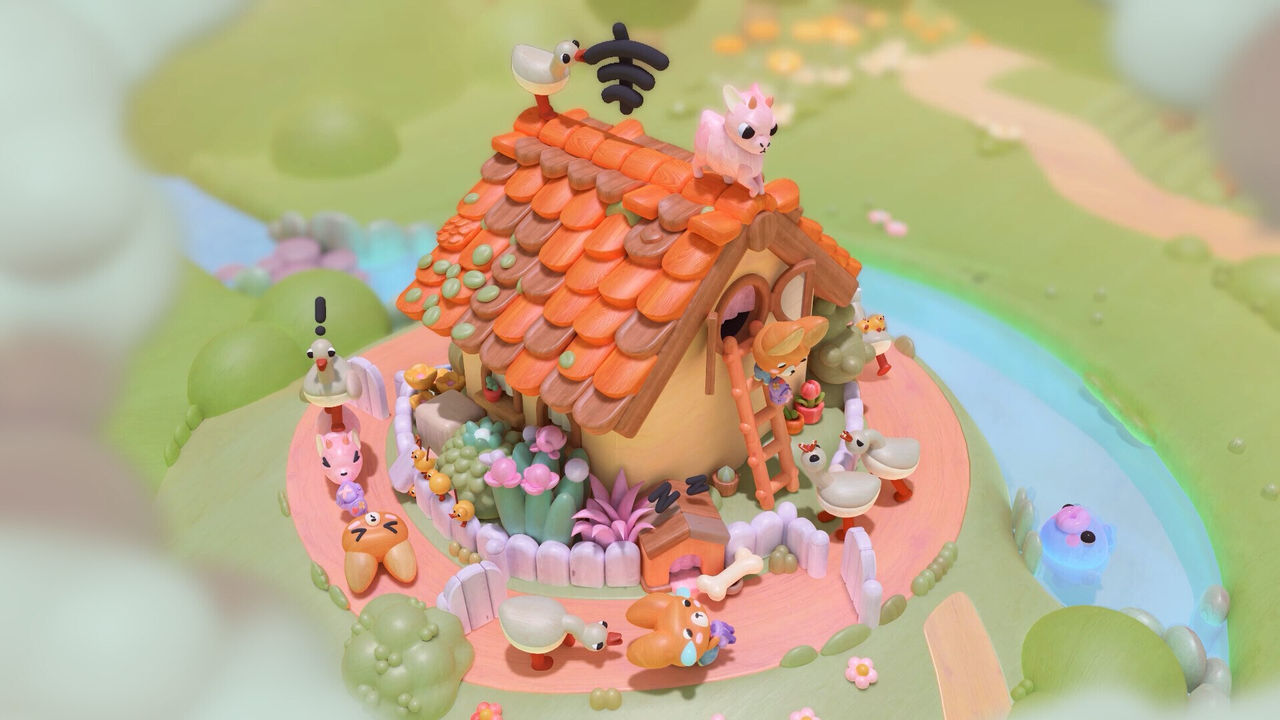
- The Village — water plants, geese and a busy outdoor scene.
- The Dusty Den — small pieces and a lamp, with a key-and-chest chain.
- Ben — the frog's garden, where panning is introduced.
- Conflict, The Change and Adventure — darker and more mechanical mid-story scenes.
- Pirates and Hidden Island — the boat level and a scene that switches between day and night.
- The Best Summer and Goodbye — the closing scenes.
For the level-by-level breakdown, see the Woodo chapters page on how the story is structured. If you want placement tips by scene, the Woodo guide walks through the early levels, and the Woodo all achievements page covers the collectibles and photo targets you will pass along the way.
FAQ
- What kind of game is Woodo?
- Woodo is a cozy 3D puzzle game where you gently piece together little dioramas, in the words of the official site. Each scene is assembled from wooden pieces that slot into predefined spots, and every correct placement paints a little more colour and animation into the world.
- How does the core Woodo gameplay loop work?
- You pick wooden objects from a tray and find their correct places in a 3D diorama. Placing pieces fills the scene with colour and triggers small animations, and the game hands you the next pieces as the scene comes together. Because the space is 3D, you have to turn and explore the scene to reveal pieces hidden behind or under other objects.
- Can you rotate pieces in Woodo?
- Not on the toolbar. The community walkthrough notes that you cannot rotate pieces in the tray, but you can rotate the scene itself, so the usual move is to spin the diorama until an empty space and a held piece line up. Some objects are also completed from several separate blocks, such as a flower that needs its petal piece and stem piece placed separately.
- Does Woodo have hints if you get stuck?
- Yes. The official feature list says the game adapts to your pace and provides assistance when you need it, and Nintendo Life describes hints that will flat-out tell you exactly where to look without breaking the game. The store also supports playable-without-timed-input and mouse-only options.
- How long is Woodo?
- Roughly four hours according to the playtime figure surfaced on the Steam Community page, though that is a single community-sourced estimate (to confirm). One player reported the free demo took about 25 minutes, and reviewers describe the full game as short and relaxing rather than padded.
More in Guides
More guides pages in Woodo.
References
Facts on this page are compiled from the references above. Items marked "to confirm" are single-source and not yet verified.