Wanderburg · Systems · Page
Wanderburg Controls — Keyboard, Mouse and Controller Setup
Wanderburg controls for keyboard, mouse and controller: steering, boost on Shift, the four ability slots, rebinding tips and the official input features.
Wanderburg lives or dies on driving feel, and its control scheme is deliberately narrower than a twin-stick shooter in a castle skin. Randwerk reportedly cut mouse-aimed turrets on purpose so the kit would map cleanly to four controller buttons and a Steam Deck session would not need a second stick just to fire (to confirm). This Wanderburg controls page collects the practical layout for keyboard, mouse and controller, the official input features Steam advertises, and the settings worth touching before a serious run.
The short answer for most players: drive with WASD or a left stick, put boost on a shoulder button or Shift, and expect your active abilities to be the only keys you press in a hurry. Aiming is not the skill the game tests - positioning and timing are.
Keyboard and Mouse
Demo coverage and player reports agree on a simple core. WASD steers the fortress, and click-to-move exists as an alternate steering mode where you point at ground and the keep rolls there. Boost or Nitro is commonly Shift, and active modules sit on nearby keys so ram, mortar, mines or dash can be triggered without leaving the movement hand stranded.
One caveat recurs in player write-ups: even when mouse-move works, actives such as speed bursts, cannon volleys and the siege ram still want a key press. If you try to play the whole game as a pure clicker, you will be late on every timed ability.
Because these bindings are community-reported rather than published by the developer, treat them as a starting point and confirm the live in-game menu:
| Action | Commonly reported binding | Notes |
|---|---|---|
| Drive | WASD | Primary steering; tank-style turning |
| Alternate drive | Mouse click-to-move | Point at ground and the castle rolls there (to confirm) |
| Boost / Nitro | Shift | A resource, not a cosmetic speed line |
| Active abilities | Nearby letter keys | Roughly four equipped actives per run (to confirm) |
| Camera | Isometric, effectively locked | Not a free orbit you have to fight |
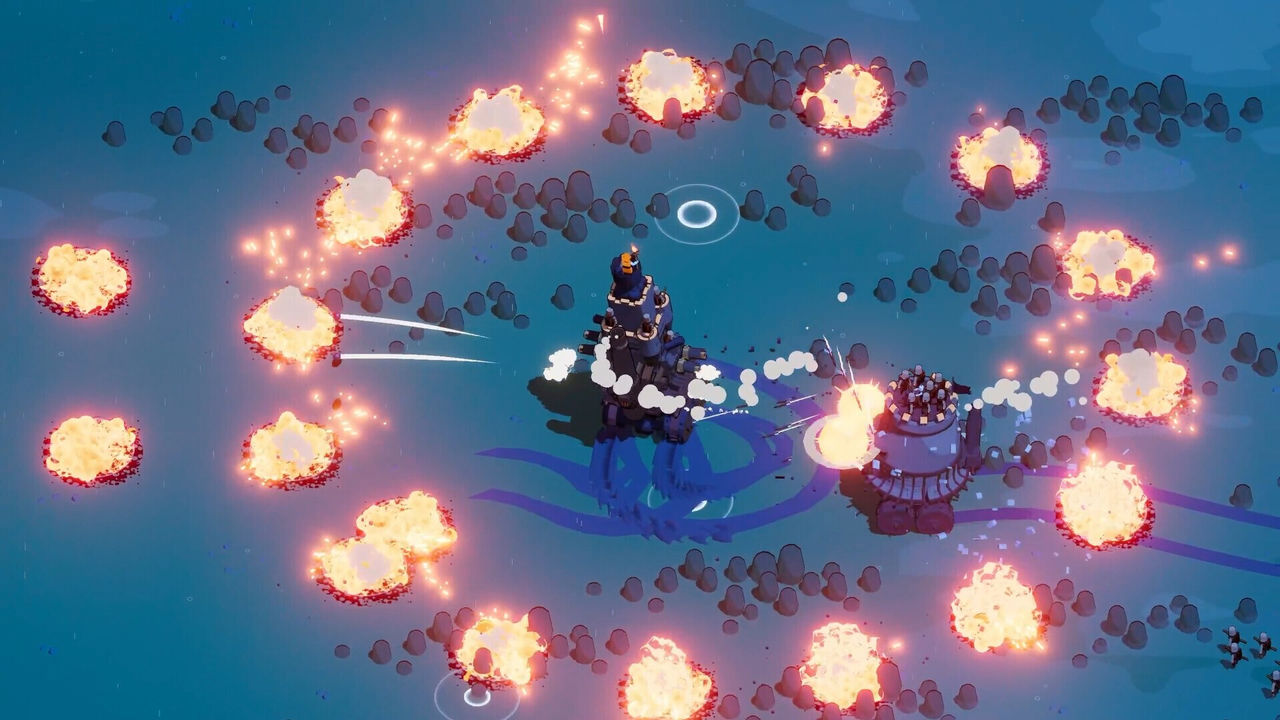
The isometric camera stays readable on purpose, so the cartoon silhouettes remain clear even on a handheld screen. That helps with visibility, but it does not aim a ram for you - you still have to point the front of the castle at what you want to eat.
Controller and the Four-Slot Kit
Full controller support is listed on Steam, including DualShock and DualSense layouts for PlayStation pads and the equivalent Xbox layout. The important design note is the four-slot kit: most runs end up with about four equipped actives, which maps onto a face-button cluster. The left stick drives, and a shoulder button or trigger is the natural home for boost once you find it in the menu.
Two habits from player reports are worth adopting early. First, do not bind boost to the same face button you also need for ram, or you will eat yourself during a panic turn. Second, give yourself one throwaway run that is only about turning circles around a flock of sheep; tank-style turning feels deliberate, and once circling the map feels boring you are ready to kite larger castles.
Practical mapping rules to start from:
- Left stick drives; put boost on a shoulder button or trigger where it does not collide with an attack.
- Do not assign boost to the same face button you use for ram.
- Plan around roughly four equipped actives, which is the shape the pad kit is built for.
Official Input Features on Steam
Steam's feature list is the authoritative source for what input modes are supported, and it is broader than the community layout suggests. The store advertises mouse, keyboard, controller and touchscreen play, along with accessibility options that matter for input comfort.
| Steam feature | What it means for controls |
|---|---|
| Full controller support | Game is designed to be played start to finish on a pad |
| DualShock / DualSense support | Native PlayStation controller support |
| Keyboard Only Option | Playable with keyboard alone |
| Mouse Only Option | Playable with mouse alone |
| Touch Only Option | Touchscreen input is an advertised option |
| Playable without Timed Input | An accessibility option for players who need it |
| Save Anytime | Pause and resume around real-life interruptions |
The touchscreen claim is the least documented of the four input methods. On a small screen, expect virtual sticks and large ability glyphs rather than pixel-perfect taps, and keep the four ability slots on the right edge where your thumb already rests if the UI allows it.
Settings and Habits Worth Changing
Before a serious session, check the options that quietly decide whether the castle feels responsive. If click-to-move and WASD are both live, the keep can stutter as the two modes fight; pick one. Invert and vibration settings are personal, and lowering effects helps if a busy mage-heavy screen melts a low-end GPU.
- Rebind after your first death, not before. You need one ugly run to know whether you missed a ram because of the key or because you never lined the bumper up.
- Treat Nitro as a resource. Dumping it to rotate around a boss is correct; dumping it in an empty field is how you meet a bigger castle with an empty tank.
- Let the tank refill if your build cares. Crew and artifact effects that reset cooldowns when fuel is full only work if you stop draining it constantly (to confirm).
- Adjust UI scale on small screens so the four slots and the timer stay legible.
The core choice the controls create - when to spend Nitro and when to line up a hit - is covered in more depth on the gameplay page, and the loadouts that reward good positioning are on the best build page. For platform and input-support details, see the Steam page.
FAQ
- How do you move in Wanderburg?
- WASD steers the fortress, and click-to-move is available as an alternative for players who dislike tank-style steering. Boost or Nitro is commonly mapped to Shift on keyboard, while active abilities sit on nearby keys so you do not strand your movement hand.
- Can you play Wanderburg with only a mouse?
- You can drive with clicks, but timed active abilities still want a key or controller button. Steam separately lists a Mouse Only Option and a Keyboard Only Option, so both pure-input styles are advertised, though the timed abilities remain the reason a hybrid setup is common (to confirm).
- Why can you not aim the turrets with the mouse?
- The developers reportedly removed mouse-aimed turrets on purpose so the kit would map cleanly to four controller buttons. Auto-attacks from archers and side cannons fire on their own, and your job becomes positioning and cooldown timing rather than tracking a reticle (to confirm).
- Is full controller support available in Wanderburg?
- Yes. Steam lists Full controller support along with DualShock and DualSense controller support. Xbox and PlayStation layouts are covered, and the ability kit is built around roughly four equipped actives that suit a face-button cluster.
- Is Wanderburg playable on Steam Deck?
- Steam rates the release Playable rather than Verified, flagging controller-configuration limits, text entry that may need the on-screen keyboard, and some small interface text. The minimalist art style is built for small screens, so the caveats are mostly about input mapping rather than readability.
More in Systems
More systems pages in Wanderburg.
Wanderburg Harvester — Identify the Roller-Front Enemy
PageWanderburg Harvester help: how to spot the roller-front enemy, why the kill counter stalls, and where the five-Harvester objective fits Green Plains.
Wanderburg Map — Biomes, Gates and Progression Routes
PageThe Wanderburg map explained: the Green Plains four-boss gate, the Golden Dunes and Meadows routes, biome objectives and how Silver drives progression.
Wanderburg Modules — Full Unlock List and How to Get Them
PageAll Wanderburg modules and how to get them: every unlock, its Silver cost or condition, plus the permanent objectives that gate the deeper arsenal.
Wanderburg Multiplayer — Does It Have Co-op or Online Play?
Q&AWanderburg multiplayer status: the Steam release is single-player only, with no co-op, online or PvP mode, though leaderboards and Family Sharing exist.
References
Facts on this page are compiled from the references above. Items marked "to confirm" are single-source and not yet verified.