
Hex Reverse · Game Guides · Guide
Hex Reverse How To Play
Hex Reverse how to play: a first run explained, from placing cards on the hex grid and flipping enemy cards to the Bazaar and the Rift levels.
Hex Reverse how to play comes down to one loop: clear a Rift level, then spend what you earned at the Bazaar before moving on. You begin by downloading the game free from Steam on Windows, Mac or Linux, and each run builds on the deck you are already carrying rather than resetting it. This page walks through a first session in the order the game itself uses, and every milestone below is one the 27 Steam achievements confirm rather than one we invented.
How a Run Starts
A run begins at Rift Level 1. Clearing it unlocks the achievement A Walk in the Woods, which makes that clear the single most useful marker of a finished first session. The game is free to play, so there is no purchase step between installing it and starting that first run, and no paid edition or DLC is listed on the store page.
Control bindings are not documented anywhere public yet. Neither the store page nor any third-party write-up describes the input scheme, so if the on-screen prompts are unclear, treat the exact bindings as undocumented rather than assume a layout.
Reading the Hex Board
The battlefield is a hex grid rather than a row of lanes. You place cards onto it, the values on their touching edges are compared, and enemy cards that lose the exchange flip over to your side. Those flips are the whole point of the title, and they are why board position matters as much as raw card strength (that description comes from GameFAQs rather than an official page, so treat the exact comparison and tie-breaking rules as to confirm).
Deck construction is described as something that happens as a run progresses. You are not locked into a starting list, and the achievements for buying, selling, fusing and pulling cards from packs imply several separate ways to change what you are holding. Nothing official documents deck size limits, so treat those as unknown.
Your First Session, Step by Step
The earliest achievements form a natural order of operations for a new player:
- Clear Rift Level 1 and bank the clear, which unlocks A Walk in the Woods.
- Visit the Bazaar and buy a card for the first time, unlocking A New Companion.
- Fuse two cards for the first time, unlocking A New Creation.
- Sell a card you do not need, unlocking Open for Business.
- Upgrade a piece of equipment, unlocking Ready Yet?.
- Start collecting monsters, since the four element masteries and Monster Collector are long-term goals.
- Keep playing levels 2 to 6 and the EX level, which is where All Creation waits.
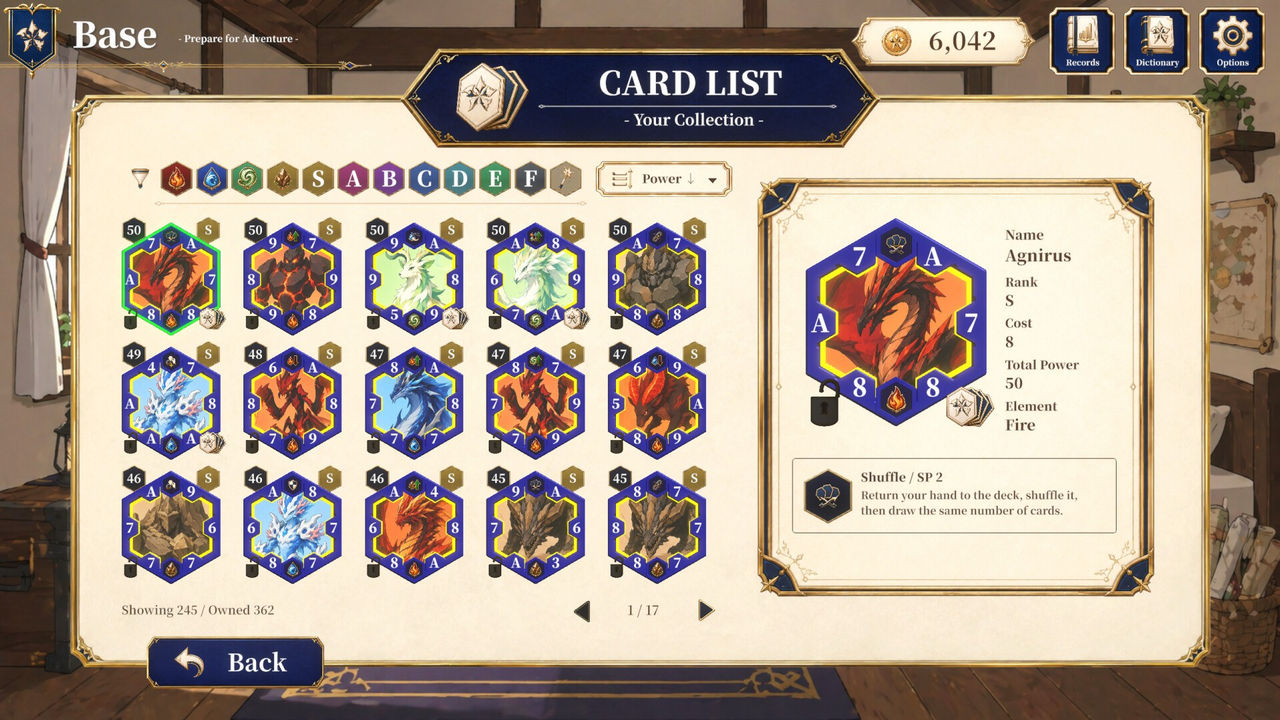
Each of those actions maps to one specific system, and the achievement list is the only official record of them:
| System | Action a new player takes | Confirmed by |
|---|---|---|
| Rift | Clear a numbered level or the EX level | A Walk in the Woods through All Creation |
| Bazaar | Buy cards with earned currency | A New Companion, Just One More |
| Bazaar | Sell unwanted cards for gold | Open for Business, A Booming Business |
| Fusion | Combine cards into a stronger one | A New Creation, Fusion Regular |
| Packs | Open a random card pack | What a Pull! |
| Equipment | Upgrade and then max out gear | Ready Yet?, Ready for Anything! |
| Collection | Fill out monsters, skills and items | Monster Collector, Skill Master, Item Master |
Managing Gold and Rift Fragments
Two currencies are confirmed. Gold is tracked by A Journey Worth a Thousand for earning 1,000 in total, and separate selling achievements show that cards can be turned into gold directly. Rift Fragments are tracked by Rift Prospector for earning 2,000 in total, and they are tied to the Rift loop rather than to the Bazaar.
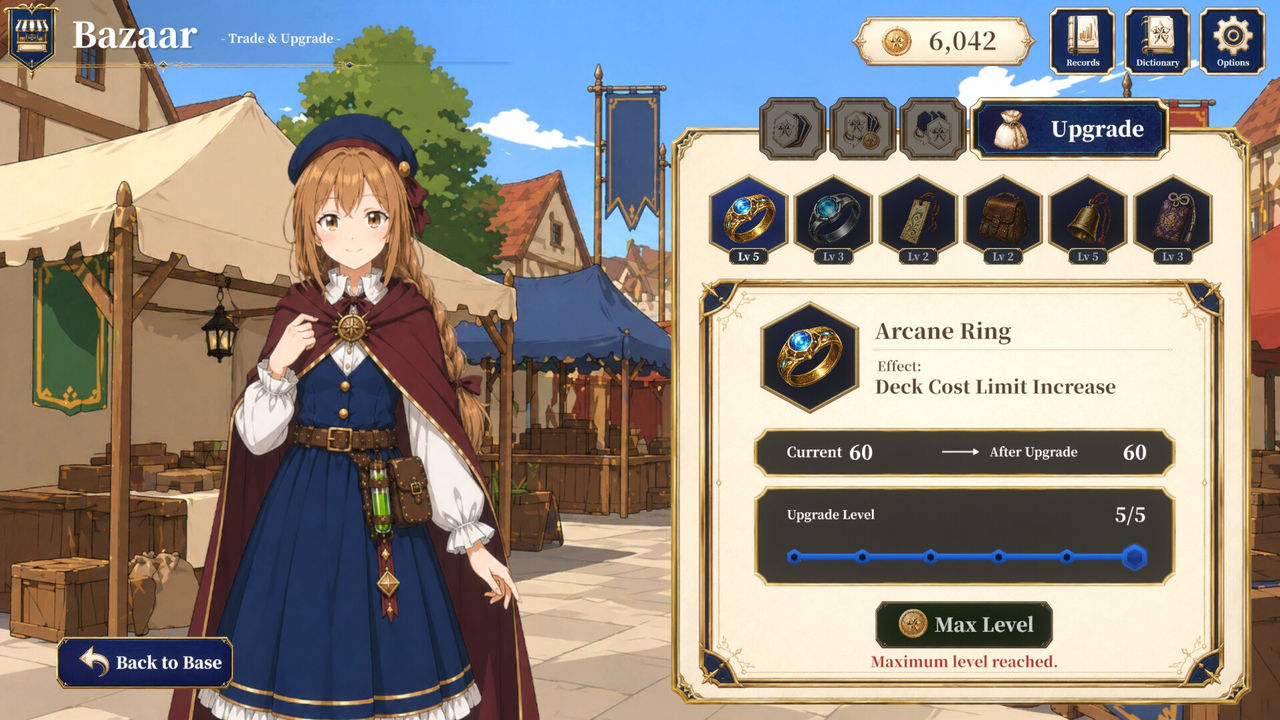
Equipment upgrades are the third sink. Ready Yet? covers the first upgrade and Ready for Anything! covers fully upgrading everything, so equipment is a finite set that can be completed. No official source states an exchange rate between gold and Rift Fragments, so treat any conversion as to confirm.
What Is Still Undocumented
Several parts of the game have no published explanation yet. The full card list, the full monster list, the number of floors beyond the confirmed EX level, Bazaar pricing and difficulty options are all absent from the store page and from the achievement text. Because Hex Reverse launched on October 7, 2026 and currently has no user reviews on Steam, that gap is expected rather than suspicious.
- Read the guide for the wider picture of what the game contains.
- Read cards for the deck economy in more detail.
- Read rift levels for the confirmed ladder.
FAQ
- How do you start playing Hex Reverse?
- Download it free from Steam on Windows, Mac or Linux and start a run at Rift Level 1. The achievement A Walk in the Woods is awarded for clearing that first level, so it doubles as the marker for a completed first session.
- Do you need to buy anything to play Hex Reverse?
- No. Hex Reverse is Free To Play on Steam, with Casual, Indie and Free To Play tags. Nothing paid and no DLC are listed on the store page, so there is no purchase between you and a first run.
- What is the first thing a new player should do in Hex Reverse?
- Clear Rift Level 1, then use the Bazaar that follows. The early achievements line up in that order: A Walk in the Woods for the clear, A New Companion for the first Bazaar purchase and A New Creation for the first card fusion.
- How does the hex board work in Hex Reverse?
- Cards are placed on a hexagonal battlefield and the values on adjacent edges are compared, with losing enemy cards flipping to your side. That description comes from GameFAQs rather than the store page, so treat the exact comparison and tie-breaking rules as to confirm.
- Is Hex Reverse hard to learn?
- The confirmed early milestones are all first-time actions rather than skill checks, which suggests a gentle opening. Nothing official documents difficulty settings, so treat the difficulty curve as undocumented for now.
More in Game Guides
More game guides pages in Hex Reverse.
References
- Hex Reverse on Steam
- Hex Reverse Achievements - Steam
- Hex Reverse for PC - GameFAQs
- Hex Reverse on ProtonDB
Facts on this page are compiled from the references above. Items marked "to confirm" are single-source and not yet verified.